
IP Reputation Checks for Proxies: When Results Mislead
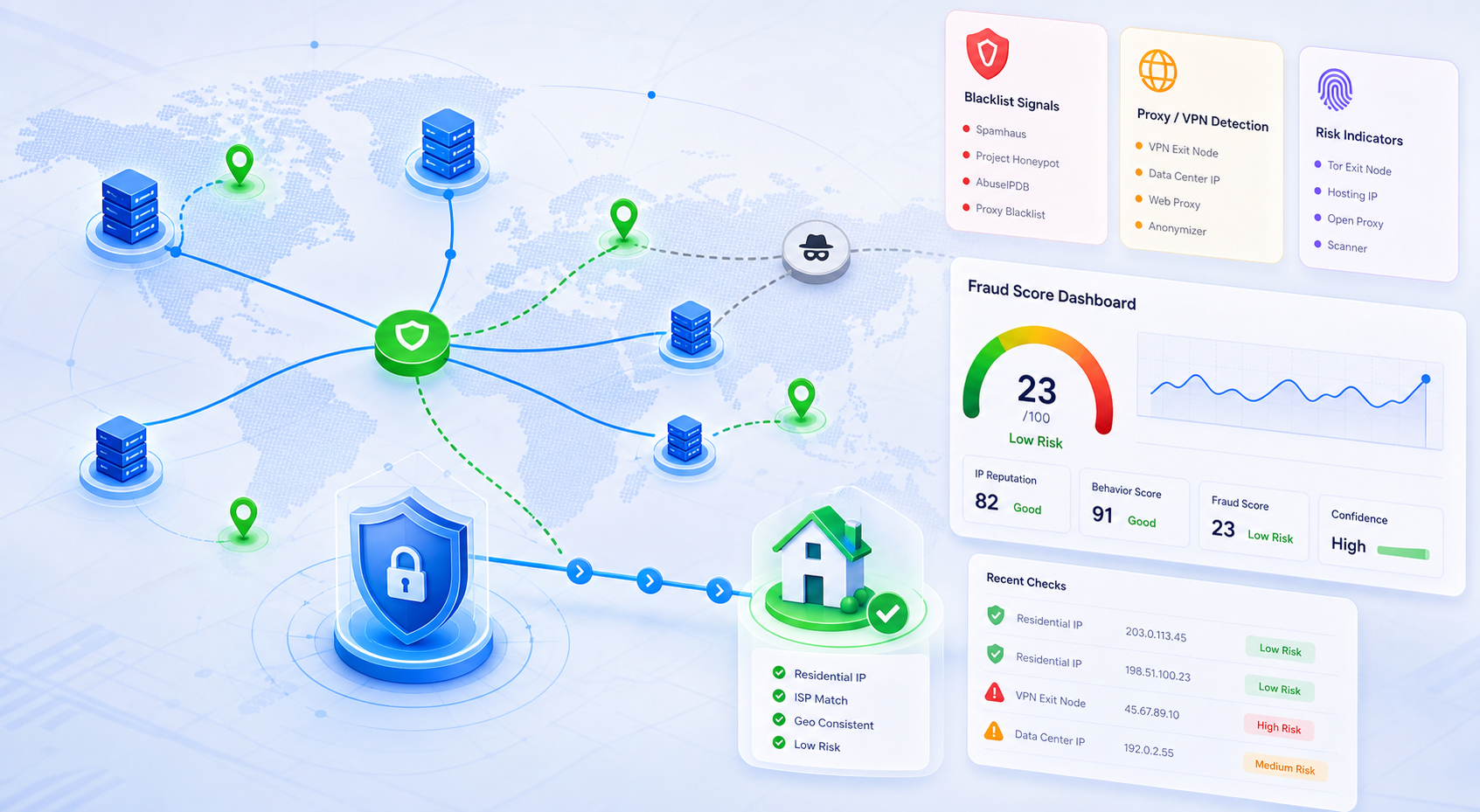
An IP reputation result is useful only after you identify what the checker is measuring. A blacklist hit, a proxy/VPN label, a fraud score, and a geolocation mismatch all point to different next steps. Treat the result as a triage signal, not as proof that every request must move to a new proxy.
For proxy workflows, the practical question is narrower: is the target rejecting this IP because the IP history is poor, because the network type is easy to classify, or because the session around the IP looks inconsistent? The checks below give you a repeatable order before you rotate pools or change proxy type.
Start by naming the signal the checker returned
Read the checker result as one of four signal types:
- Blacklist or DNSBL hit: the IP appears on a list associated with spam, abuse, open proxy behavior, or past network risk.
- Proxy/VPN detection: the tool classifies the IP as a proxy, VPN, hosting, anonymizer, or high-risk connection.
- Fraud or risk score: the result combines IP history with data such as honeypots, reports, device signals, or behavior models.
- Location or ASN inconsistency: the country, city, ISP, or autonomous system does not match what your target site expects.
A single label is not enough. For example, APIVoid’s IP Reputation API describes reputation as a combination of blocklist, proxy/VPN, and geolocation checks. That means the first action is to record the exact field that failed, not only the final risk word.
Compare at least two independent tools before switching IPs
Run the same IP through tools with different purposes. A blacklist-specific tool such as IPVoid’s blacklist checker answers a different question from a fraud or proxy-detection service such as IPQualityScore’s proxy/VPN lookup.
Use this decision table:
| Result pattern | Likely meaning | Next action |
|---|---|---|
| Multiple blacklist tools flag the IP | The IP history is probably poor | Rotate the IP or ask for a cleaner pool; local browser changes rarely fix this |
| One fraud-score tool flags the IP, blacklist tools are clean | The checker may be using proxy, ASN, or behavior signals | Test a clean session and compare another detector before replacing the proxy |
| Proxy/VPN detection is positive on a datacenter IP | The network type may be easy to classify | Consider residential proxies for targets that penalize hosting networks |
| Reputation looks clean, but the target still blocks requests | The problem may be headers, cookies, rate, account state, or browser fingerprint | Fix request/session behavior before blaming IP reputation |
This comparison prevents expensive churn. If only one tool complains, changing the proxy may not solve the target-site block. If several independent tools agree, keeping the same IP usually wastes time.
Check whether the target problem matches the reputation result
Reputation checks matter most when the target site is showing a compatible symptom:
- Registration, login, checkout, or account actions fail only on one IP range.
- CAPTCHAs, verification loops, or access blocks increase on the flagged IPs.
- Clean residential or known-good IPs reduce the same symptom under the same request rate.
- The issue follows the IP across devices or sessions.
If the target symptom does not follow the IP, look elsewhere. Session cookies, inconsistent geolocation, proxy authentication retries, automated request rate, or browser fingerprint changes can trigger blocks even when the IP reputation score is acceptable.
Separate datacenter classification from bad reputation
A datacenter IP can be clean and still be classified as hosting infrastructure. That is not the same as being blacklisted. It means some websites may apply stricter rules to that network type.
For scraping, SEO checks, ad verification, and account workflows, this distinction matters. If the target blocks datacenter ranges even when they are not blacklisted, moving to a residential pool may be a better test than repeatedly rotating datacenter IPs. You can review residential options by matching target sensitivity, geography, and rotation needs on the residential proxy product page, but make that move after the signal comparison, not before it.
Record the context around each failed IP
Keep a small log for every reputation-related test:
- IP address and proxy type: residential, datacenter, static, rotating, or sticky session.
- Country, city, ASN, and expected target geography.
- Checker names and exact failed fields.
- Target URL or workflow step that failed.
- Request rate, browser profile, cookies, account age, and user-agent family.
- Whether the symptom follows the IP after a clean-session retest.
This log turns a vague complaint into a decision. It also helps support teams distinguish pool-level reputation problems from local automation or browser-profile problems.
Use a clean-session retest before declaring the IP bad
When reputation tools disagree, retest with a clean context:
- Stop the current automation or browser profile.
- Use one IP for one clean session rather than rotating mid-flow.
- Clear cookies or use a fresh browser profile for the test target.
- Keep location, language, timezone, and IP country consistent.
- Run the target action at a human-scale rate.
If the block disappears, the reputation score was not the only cause. If the block remains and independent checkers also flag the IP, rotate away from that IP and mark the reason.
When to rotate, when to switch proxy type, and when to fix setup
Use the outcome, not the checker brand, to choose the next step:
- Rotate the IP when multiple independent blacklist or reputation tools flag the IP and the target symptom follows that IP.
- Switch proxy type when the issue is network classification, such as datacenter hosting ranges being rejected by a consumer-facing target.
- Keep the IP and fix setup when reputation looks clean but blocks appear after login, rapid requests, inconsistent cookies, or mismatched browser signals.
- Escalate to provider support when several IPs from the same pool show the same external reputation pattern.
The homepage can help you compare available proxy entry points by use case and location: start from the proxy options and location entry point when you need to align country, proxy type, and session behavior.
Final checklist
Before replacing a proxy because of reputation, confirm these points:
- You know whether the failure is blacklist, proxy/VPN classification, fraud score, or location/ASN mismatch.
- At least two independent checks support the same conclusion.
- The target-site symptom follows the IP under a clean-session retest.
- Request rate, cookies, browser profile, and location settings are not contradicting the IP.
- The next action matches the signal: rotate bad history, switch type for network classification, or fix setup for session inconsistency.
A proxy reputation check is strongest when it changes a decision. Use it to choose the next controlled test, not as a one-click verdict on whether an IP is usable everywhere.