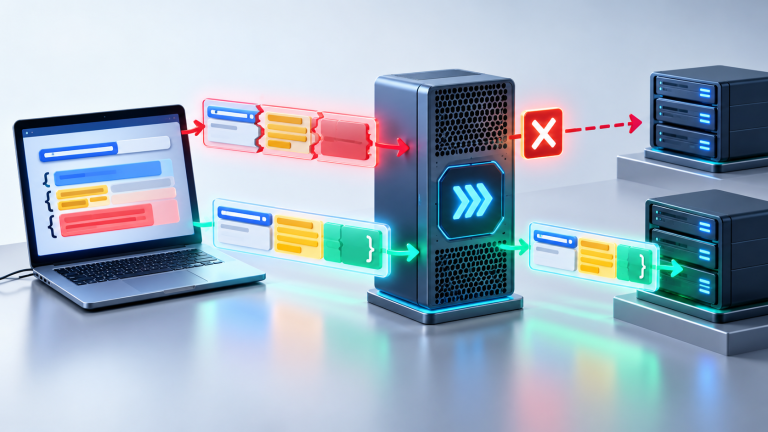
Proxy Change Log Template: Track Exit Changes, Failure Reasons, and Rollback Decisions
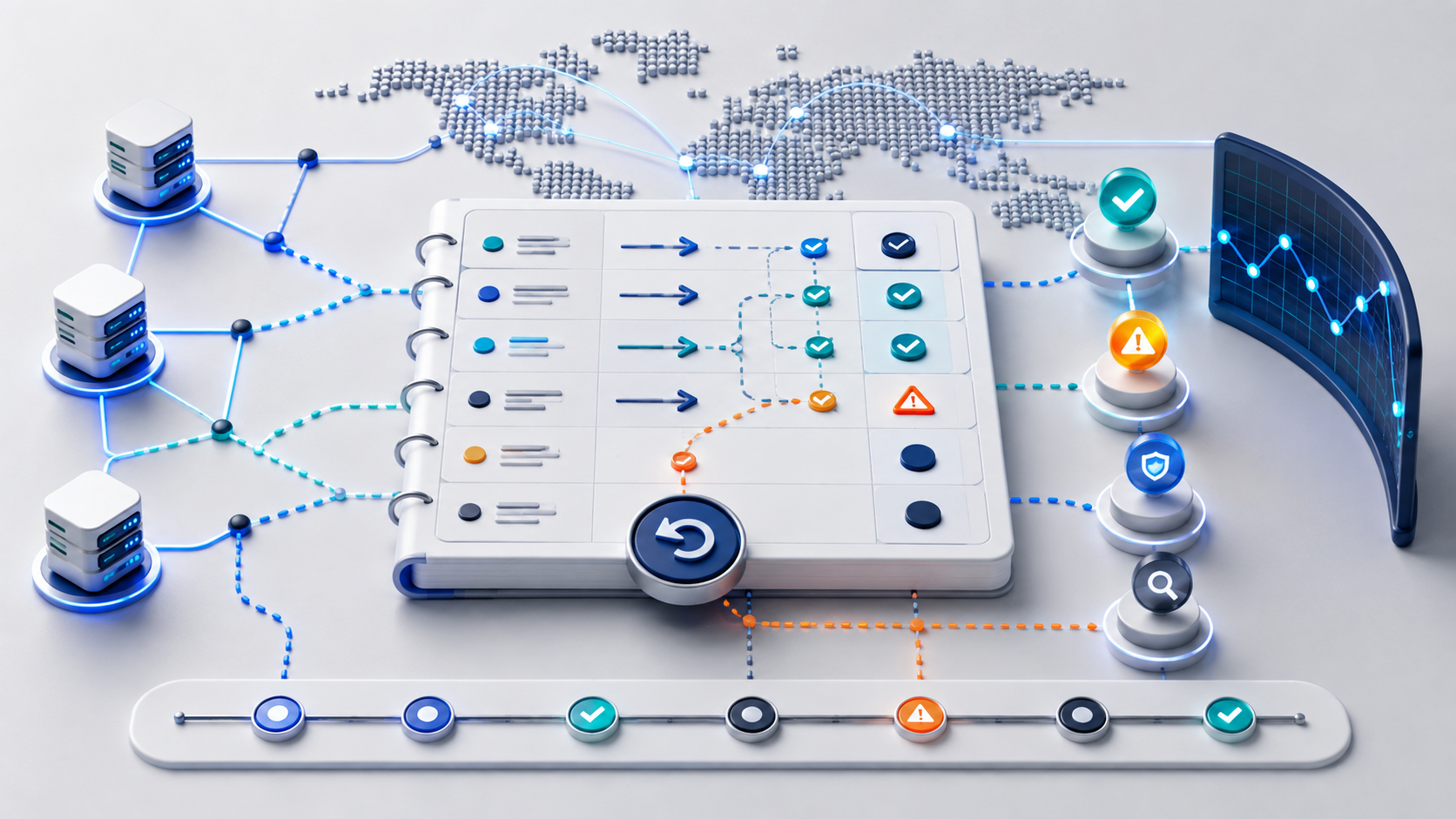
A proxy change log is the record you keep whenever a proxy exit, region, protocol, credential set, client setting, or traffic rule changes. Without it, teams often rotate IPs, raise concurrency, change timeouts, and adjust retry logic at the same time. When the result improves or fails, nobody can prove which change mattered.
The useful version is simple: record what changed, why it changed, which proxy group was affected, what validation was run, and when to roll back. That turns proxy troubleshooting into a controlled sequence instead of a chain of undocumented fixes.
What A Proxy Change Log Should Prove
The log should answer four questions after any incident or rollout: what changed, what signal triggered the change, what happened after the change, and whether the team should keep, reverse, or isolate that proxy route. If it cannot answer those questions, it is just an activity note.
| Question | Field To Record | Why It Matters |
|---|---|---|
| What changed? | Exit IP, region, protocol, port, credential, session policy, retry rule, or timeout | Prevents multiple variables from being blamed as one issue |
| Why did it change? | Timeout cluster, 403/429 pattern, region drift, authentication issue, or scaling test | Connects the action to a specific failure reason |
| What was tested? | Endpoint check, target test, timing baseline, account workflow, or small-volume rollout | Separates a real improvement from a lucky retry |
| What is the decision? | Keep, roll back, quarantine, slow traffic, or escalate investigation | Keeps the next operator from repeating the same change |
Before writing the first log entry, confirm the proxy type, region options, and routing model you plan to use. A general proxy service option page can help teams align on whether they are recording residential, datacenter, static, rotating, or session-based behavior.
Use One Entry Per Change
The most common mistake is writing one broad note after several actions: changed proxy, retried requests, raised timeout, and reduced concurrency. That note cannot support a decision. Use one entry for one controlled change. If two variables must change together, say so explicitly and mark the result as less certain.
| Change Type | Good Entry | Weak Entry |
|---|---|---|
| Exit replacement | Replaced exit A with exit B in the same region after three timeout clusters | Changed proxy |
| Protocol setting | Switched client from HTTP to SOCKS5 after protocol mismatch test | Proxy did not work |
| Retry policy | Reduced retries from 3 to 1 after request bursts created repeated 429s | Lowered retries |
| Session window | Shortened sticky session window after login flow completed but browsing failed later | Session unstable |
If credentials, ports, owners, or regions are already hard to track, fix that inventory first. A credential inventory template gives the change log a stable source of truth so operators do not compare new failures against outdated setup fields.
Validation Comes Before The Decision
Each change should include a validation path. For proxy operations, a single success page is not enough. Check authentication, protocol support, DNS behavior where relevant, exit location, target response, timing, and repeated request stability. The exact test depends on the failure reason that triggered the change.
- Run the same basic endpoint check before and after the change.
- Record status code, connect time, first response time, and final result.
- Repeat the target request with low volume before scaling traffic.
- Compare the result with the previous baseline instead of judging one request alone.
- Decide whether to keep, reverse, quarantine, or test one more controlled change.
When a new region or endpoint is involved, reuse the endpoint health check before treating the change as successful. A route can pass a simple connection test and still fail on location consistency, DNS behavior, latency, or target response.
A Practical Change Log Template
| Field | What To Write | Example Format |
|---|---|---|
| Change time | When the proxy change was applied | 2026-09-08 14:20 UTC |
| Operator | Person or process responsible for the change | Ops owner, script name, or ticket ID |
| Affected group | Proxy pool, region, account group, or client group | US residential pool / browser test group |
| Trigger signal | Failure pattern that caused the change | Timeout cluster, 429 increase, region mismatch |
| Single change | The one variable changed in this entry | Exit replaced / retries reduced / protocol switched |
| Validation result | What was tested after the change | Status code, timing, target response, small-volume result |
| Decision | Keep, roll back, quarantine, slow down, or investigate | Keep for 30 minutes, then review error mix |
| Next review | When the result must be checked again | After 100 requests or 20 minutes |
Timing fields are especially important when the issue is gradual. Use a request timing baseline to compare calm traffic, burst traffic, retries, and timeout behavior before concluding that a new exit is better.
Rollback Rules Keep The Log Actionable
A change log should include rollback rules before the next failure happens. Otherwise, the team may keep a weak change because it looked better for a few requests. Define stop conditions in advance: repeated timeouts, higher 429 rate, worse location consistency, authentication failures, or failed target response after a fixed test window.
| Signal After Change | Decision | Reason |
|---|---|---|
| Same failure follows the new exit | Investigate target, client, or traffic pattern | The proxy change did not isolate the cause |
| Failure improves only at low volume | Keep low volume and retest scaling | The issue may be request pressure, not exit quality |
| Authentication starts failing | Roll back setup fields or credential mapping | The change may have broken client configuration |
| 429s rise after retries | Slow retry policy or quarantine the route | Retry pressure may be amplifying failures |
| Location or DNS result changes unexpectedly | Pause rollout and retest endpoint health | The route may not match the expected environment |
If failed requests start multiplying after a change, compare the log with the retry storm checklist. A proxy that looks bad under uncontrolled retries may be stable once backoff, concurrency, and quarantine rules are separated.
When To Update The Change Log During Scaling
Update the log whenever traffic volume, thread count, timeout threshold, retry behavior, session window, proxy pool, or target route changes. Do not wait until the rollout fails. The point is to preserve the decision trail while the system is still understandable.
- Before scaling: record the baseline and expected success window.
- During scaling: record each increase in traffic or concurrency as a separate change.
- After failure: record the first visible symptom before applying a fix.
- After rollback: record the result, not just the rollback action.
For volume increases, connect the log to a concurrency ramp checklist. That prevents a proxy exit from being blamed for failures that only appear after thread counts rise too quickly.
Final Check Before Keeping A Proxy Change
Keep a proxy change only when the reason, validation result, and next review window are all written down. If the log says only that the change “worked,” it is not enough. It should show what improved, what stayed unchanged, what might still be uncertain, and when the result will be checked again.
A good proxy change log does not make every decision perfect. It makes every decision reviewable. That is the difference between controlled troubleshooting and repeated proxy rotation without evidence.