Proxy Cooldown Windows: When to Pause an Exit Before Sending Traffic Again

When a proxy request fails, retrying immediately can make the problem harder to read. A timeout may be temporary. A 429 may mean the target is slowing the workflow down. A reset may come from the client, the endpoint, or the route. If every failure triggers instant retries or instant rotation, the team loses the signal it needs to decide what actually changed.
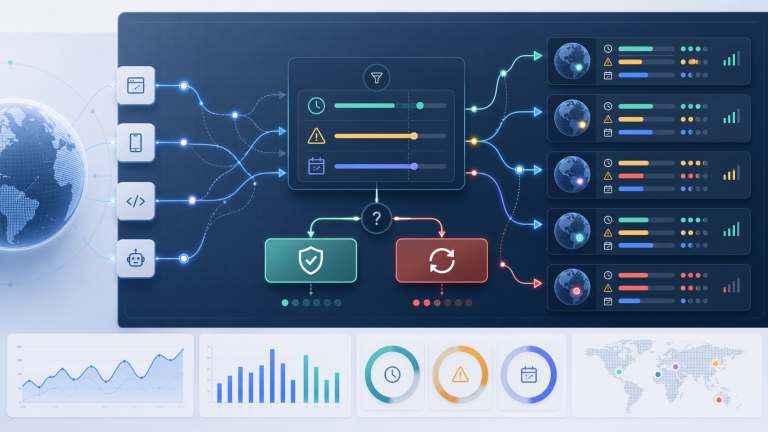
A proxy cooldown window is the short pause between a failure and the next action. The goal is not to wait forever. The goal is to decide whether the same exit should be retried, rotated, isolated for review, or stopped before noisy traffic turns a small issue into a wider pool problem.
Start by classifying the failure type
Do not assign one cooldown rule to every proxy error. The right pause depends on what failed, whether the same exit failed before, and whether the workflow requires session continuity. Use this first-pass classification before changing the pool.
| Failure signal | First interpretation | Cooldown action | Do not do yet |
|---|---|---|---|
| Single timeout | Temporary route, target, or client delay | Pause briefly, retry once, record latency | Replace the whole proxy pool |
| Repeated timeout on one exit | Exit degradation or path instability | Pause the exit and compare with another endpoint | Keep hammering the same route |
| 429 response | Target-side rate or pacing pressure | Increase spacing and reduce request rate | Treat it as proof that the IP is bad |
| Connection reset | Client, protocol, route, or target closure | Pause and test the same exit with a smaller request set | Rotate blindly without checking the client |
| Session continuity break | Sticky window, reconnect, or assignment problem | Stop session-dependent work and verify continuity | Resume account or login-sensitive tasks |
If the failure is still unclear, use a basic proxy connection diagnosis before setting cooldown policy. A cooldown rule only helps when the failure signal is measured consistently.
Use separate cooldown rules for retry, rotate, and stop
A retry sends another request through the same exit. A rotation moves work to another exit. A stop condition pauses the workflow because more traffic would damage evidence quality or session safety. These are different decisions and should not share the same trigger.
| Decision | Use it when | Required evidence | Example boundary |
|---|---|---|---|
| Retry same exit | One-off timeout or reset with no repeated pattern | Previous success on the same exit and no target-side throttling signal | Retry once after a short pause |
| Rotate exit | The same exit fails repeatedly while comparable exits remain healthy | Error count, latency change, and endpoint comparison | Rotate after repeated failures in the same test window |
| Stop workflow | Failures affect login state, session continuity, or business-critical steps | Session break, repeated 429s, or unstable identity-sensitive path | Stop until the route and session behavior are reviewed |
This is where a cooldown window connects with proxy rotation triggers. Rotation should be a documented decision, not the default reflex after the first failed request.
Set cooldown length by workflow risk
The exact number of seconds is less important than matching the pause to the workflow. Low-risk monitoring can retry faster. Account, checkout, login, or session-sensitive workflows need stricter stop rules because repeated failures can change the environment being measured.
- Low-risk data checks: short pause, one retry, then rotate only if the same exit repeats the failure.
- Geo-targeted validation: pause long enough to compare region, DNS, and latency before changing exits.
- Sticky sessions: stop if reconnect behavior breaks continuity; retrying may hide the real sticky-window issue.
- High-concurrency batches: reduce request rate before judging proxy quality, especially when many exits fail at once.
- Account-heavy workflows: stop earlier and review session state before sending more traffic through a questionable exit.
For rate-limit-heavy symptoms, pair the cooldown decision with the earlier guide on HTTP 429 with rotating proxies. A longer pause and lower request rate may be more useful than adding more exits.
Record cooldown evidence before changing the pool
A cooldown policy is only useful if the team records what happened before and after the pause. Without those fields, the next operator cannot tell whether the exit recovered, whether rotation helped, or whether the workflow simply moved the same problem to another route.
Add these fields to the incident log:
- Exit, endpoint group, proxy type, region, and protocol.
- Failure signal: timeout, reset, 407, 429, DNS issue, location mismatch, or session continuity break.
- Cooldown length and whether the next action was retry, rotate, or stop.
- Result after cooldown: success, same failure, different failure, slower response, or session break.
- Final decision: keep exit, lower volume, isolate exit, update client settings, or investigate endpoint health.
If your team already uses a proxy error log template, add cooldown length and next action as required fields. That small addition turns retries into evidence instead of repeated guesswork.
When cooldown should become failover
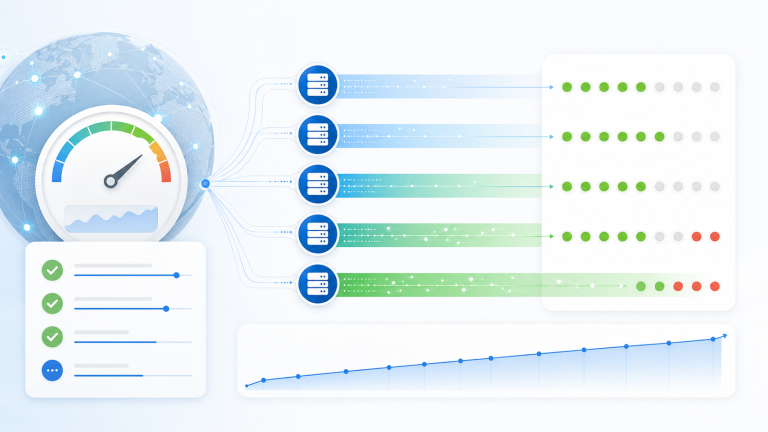
Cooldown is not a substitute for failover. If an exit repeatedly fails after clean pauses, or if a whole endpoint group starts degrading, the team should switch to a safer path and preserve the failed route for review. The point is to avoid both extremes: endless retries and premature pool-wide replacement.
A simple escalation rule works well: retry once when the failure is isolated, rotate when the same exit repeats the pattern, and move to a proxy failover runbook when multiple exits or critical workflow steps are affected.
Check endpoint health before scaling again
After a cooldown incident, do not return straight to full traffic. Re-check endpoint health, region fit, DNS behavior, latency, and session continuity at a small volume first. If the workflow uses residential proxies, also confirm that the exit behavior still matches the task: stable enough for continuity, distributed enough for volume, and measurable enough for troubleshooting.
For new regions or endpoint groups, use proxy endpoint health checks before routing real work again. A cooldown rule should feed into better rollout control, not become a hidden retry loop.
Final takeaway
Proxy cooldown windows give teams a disciplined pause between failure and action. Classify the signal, choose retry, rotate, or stop deliberately, and record what changed after the pause. That keeps proxy operations measurable and prevents one noisy failure from turning into unnecessary rotation across the whole pool.