Proxy IP Changed but Requests Use the Old Exit: Keep-Alive and Connection Pool Checks

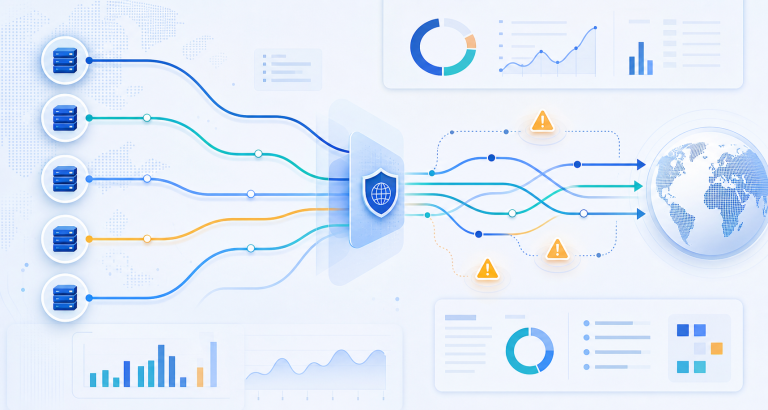
A proxy IP can change in the control panel while active requests continue to leave through the old exit. That does not always mean rotation failed. An application may be reusing an open keep-alive socket, holding a connection inside its pool, resolving the proxy hostname from stale DNS data, or continuing a sticky assignment until the session expires.
The fastest diagnosis is to compare an existing connection with a newly created connection under the same client and target conditions. Record the configured proxy endpoint, actual outbound IP, connection creation time, pool identifier, DNS result, assignment mode, and request timestamp. Do not rotate repeatedly until you know which layer still owns the old route.
Classify the old-exit signal before changing settings
| Observed result | Likely layer | First comparison |
|---|---|---|
| Existing requests use the old IP, fresh process uses the new IP | Keep-alive socket or client pool | Close one connection and create a new one |
| All clients still resolve the old proxy address | DNS cache or service discovery | Compare local and remote resolution with the authoritative result |
| The same session keeps one exit by design | Sticky assignment | Check session key and expiry rule |
| Dashboard changes, outbound IP never changes | Configuration not applied or wrong worker | Read back the active client configuration |
| Outbound IP alternates between old and new | Mixed pool or partial worker restart | Map each worker and connection to its observed exit |
1. Prove the configured endpoint and the actual exit separately
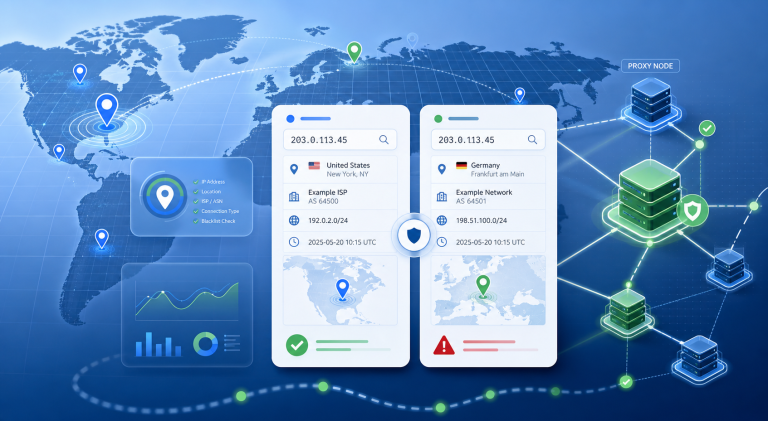
Capture the proxy hostname or host, port, protocol, authentication method, and rotation or session key currently loaded by the application. Then send a low-risk outbound identity request through the existing connection and another through a brand-new process. The configured endpoint is control-plane evidence; the observed outbound IP is data-plane evidence. Both are required.
If the configuration was changed recently, record it in a proxy change log with the worker, deployment time, old value, new value, and rollback owner. This prevents a control-panel update from being mistaken for a completed client rollout.
2. Compare an existing connection with a new connection
HTTP keep-alive and connection pooling are designed to reuse established transport connections. If a socket was opened through the old proxy exit, changing configuration does not necessarily move that socket. The old route can remain active until the connection is closed, reaches an idle timeout, or is removed from the pool.
Run three small tests: one request on the existing client, one request after closing the relevant pooled connection, and one request from a clean process with the same proxy settings. If only the existing client shows the old IP, the proxy service may already be rotating correctly; the remaining task is controlled connection retirement.
3. Inspect the client pool instead of restarting everything
Identify the pool key used by the library or application. Pools may be separated by scheme, proxy URL, destination host, authentication identity, process, thread, or custom transport object. A client can therefore keep several generations of connections alive at once even when one visible setting has changed.
- Record active and idle connection counts.
- Record connection creation and last-used times.
- Confirm whether the proxy URL is part of the pool key.
- Check idle timeout, maximum lifetime, and eviction behavior.
- Close only the affected pool or transport when the client supports it.
A full process restart can prove that stale client state is involved, but it does not explain which connection rule caused it. Use the restart as a controlled comparison, then fix the pool lifecycle rather than making restarts the permanent rotation method.
4. Separate sticky assignment from stale keep-alive
A sticky proxy session intentionally keeps one exit for a defined key or duration. Creating a new TCP connection may still return the same exit if the session identifier has not changed or expired. By contrast, a stale keep-alive connection continues using the route that was established when the socket opened.
Check the expected behavior with the existing session continuity checks. Record the session key, start time, expected lifetime, last reconnect, and actual outbound IP. A pass means the assignment matches the documented session rule. A failure means the observed identity persists beyond that rule or changes when it should remain stable.
5. Check DNS and service discovery when the proxy uses a hostname
If the proxy endpoint is a hostname, the client may have cached an older address or received different results from local DNS, container DNS, and service discovery. Record the resolved addresses from the application environment, not only from the operator workstation. Also record the cache lifetime and whether the client resolves once at startup or for each new connection.
For SOCKS5 clients, confirm whether the proxy hostname and destination hostname are resolved locally or remotely. The existing remote DNS checks help separate DNS behavior from exit rotation. Flushing DNS without rebuilding a connection will not move a socket that is already open.
6. Drain old connections in a controlled order
Do not terminate every worker at once unless the old exit creates an immediate operational risk. Stop assigning new work to the old pool, let safe in-flight requests finish, close idle connections, then rebuild a small validation pool using the new configuration. Keep a rollback point if the new exit fails authentication, region, or latency checks.
Rotation itself should follow a written rotation trigger checklist. A changed dashboard value is not enough. Define whether the event requires a new session key, a new connection, a new process, or only a fresh request.
7. Use pass, fail, and ambiguous outcomes
| Outcome | Evidence | Decision |
|---|---|---|
| Pass | Fresh connections consistently use the expected new exit and old connections drain within policy | Continue staged rollout |
| Client-state failure | Clean process passes, existing pool remains on the old exit | Repair pool eviction and connection lifetime |
| Sticky-session behavior | New connections keep the old exit only while the documented session key is active | Wait for expiry or rotate the key intentionally |
| Configuration failure | Clean process still uses the old exit and active settings do not match the intended endpoint | Correct deployment or worker configuration |
| Ambiguous | Workers alternate exits or DNS answers differ across environments | Map workers, pool keys, and resolutions before retrying |
8. Verify reconnection without creating a retry surge
Rebuild connections in a small validation lane. Confirm authentication, outbound IP, region, DNS behavior, connect time, TLS time, first-byte time, and response class. Compare timing against the normal request timing baseline so a slower new exit is not mistaken for a broken connection.
Stop the rollout if the old exit reappears on newly created connections, if outbound identity alternates without an expected rotation rule, if authentication fails across known-good clients, or if reconnect attempts begin multiplying. Preserve the evidence before another configuration change.
9. Keep a compact rotation verification record
- Configured proxy endpoint and configuration version
- Old and expected new outbound IP
- Connection or pool creation time
- Worker, process, thread, or client identifier
- Session key and expected expiry when sticky assignment is used
- Local and remote DNS result where relevant
- Existing-connection result and clean-process result
- Drain start, final old-connection close, and rollback decision
For broader setup decisions, compare proxy service options by assignment model, session controls, hostname behavior, authentication, and observability. Rotation is easier to operate when the service and client expose enough evidence to distinguish an old socket from an old assignment.
Conclusion: rotate the connection layer, not only the setting
When a proxy IP changes but requests still use the old exit, first compare an existing connection with a newly created one. Then inspect the connection pool, sticky-session rule, DNS state, and active worker configuration. Each layer has a different repair and a different pass condition.
The reliable sequence is to record the old route, stop new work from entering it, drain or evict the affected connections, build a small validation pool, and confirm the new outbound IP before scaling traffic. Repeated rotation without connection-level evidence usually adds noise instead of fixing the route.